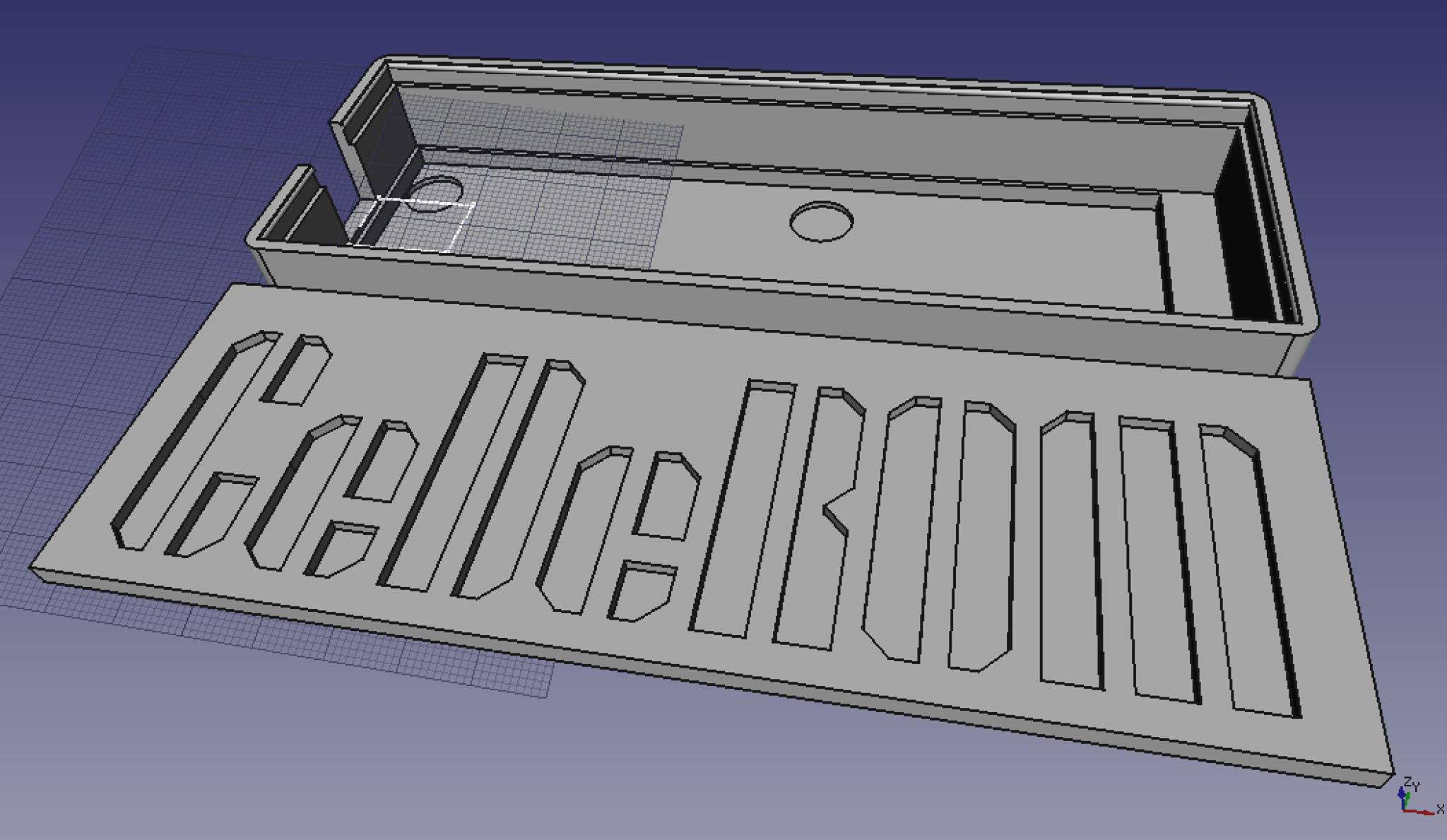
i-Tec U3CHARGEHUB16 USB Hub Plate Holder

CeDeROM’s [1] wall mount for 16 port USB 3.0 HUB from i-Tec model name U3CHARGEHUB16 [2]. Created for NuttX RTOS [3] distributed build and runtime test farm in order to connect various electronic boards and devel-kits to a single build host. Electronic devices are mounted on a wall board where bread-boards are mounted so I also needed to mount the USB HUB somehow :-)

Design is symmetrical so it fits both sides of the device, can be printed in horizontal and vertical alignment (support recommended), can be easily cloned on the plate to have many prints on a single plate. Use horizontal alignment for increased strength (ABS profile provided). Use M3x20 screws :-)

FreeCAD design file and output models are available at CeDeROM-STUFF.git [4][5] and MakerWorld [6]. I hope you find it useful too, have fun! :-)

[1] https://www.cederom.io
[2] https://i-tec.pro/en-us/produkt/u3chargehub16-9
[3] https://nuttx.apache.org
[4] https://gitlab.com/cederom/cederom-stuff/-/tree/master/3D/models/electronics/usb-hub-itec-u3chargehub16
[5] https://github.com/cederom/CeDeROM-STUFF/tree/master/3D/models/electronics/usb-hub-itec-u3chargehub16
[6] https://makerworld.com/en/models/815133-i-tec-u3chargehub16-usb-hub-plate-holder

Panel Plug Dummy 12×20 and 14×20

This is a simple Panel Plug Dummy for 12mm and 14mm holes when no real plug is to be installed. Other sizes may show up in future or just scale the ones available when needed. FreeCAD design files and output models are available at CeDeROM-STUFF.git [1][2] and MakerWorld [3][4].

[1] https://gitlab.com/cederom/cederom-stuff/-/tree/master/3D/models/electronics/panel_plug_dummy
[2] https://github.com/cederom/CeDeROM-STUFF/tree/master/3D/models/electronics/panel_plug_dummy
[3] https://makerworld.com/en/models/116839-cederom-panel-plug-dummy-12×20
[4] https://makerworld.com/en/models/116844-cederom-panel-plug-dummy-14×20

PIP and Python Modules inside Blender

If you want to install additional Python [1] modules inside your Blender [2] environment, you can install PIP using this recommended script [3], then use PIP to install all modules that you want. Note Blender’s Python Virtualenv location is /path_to_blender/blender_version/python/bin/python and you need to use this particular interpreter to launch the script.

[1] https://www.python.org/
[2] https://www.blender.org/
[3] https://pip.pypa.io/en/stable/installing/

CeDeROM CASING for M24LR-DISCOVERY

As an exercise, I have just designed (using FreeCAD) and 3D-Printed (using semi-translucent PLA material) a casing for M24LR-DISCOVERY (CR95HF NFC Reader). Let me know if you need one :-)

Read More